---
title: How To Use The Activity Page
description: How To Use The Activity Page
---
[Skip to content](https://knowledge.intuitiveshipping.com/how-to-use-the-activity-page#main-content)
[](https://knowledge.intuitiveshipping.com?hsLang=en)
- [FAQ](https://knowledge.intuitiveshipping.com/faq-page)
- [Main Site](https://intuitiveshipping.com/)
Open main navigation
Close main navigation
- [FAQ](https://knowledge.intuitiveshipping.com/faq-page)
- [Main Site](https://intuitiveshipping.com/)
- [Contact us](https://knowledge.intuitiveshipping.com/contact)
[Contact us](https://knowledge.intuitiveshipping.com/contact?hsLang=en)
How can we help?
- There are no suggestions because the search field is empty.
1. [Intuitive Shipping Help Center](https://knowledge.intuitiveshipping.com/?hsLang=en)
2. [How-To](https://knowledge.intuitiveshipping.com/how-to?hsLang=en)
# How To Use The Activity Page
## View your most recent rate calculation activities and important reminders about the app.
**Contents**:
- [How It Works](https://knowledge.intuitiveshipping.com/how-to-use-the-activity-page#how-it-works)
- [Filter and Export Activities](https://knowledge.intuitiveshipping.com/how-to-use-the-activity-page#filter-export-activities)
- [View Activity Details](https://knowledge.intuitiveshipping.com/how-to-use-the-activity-page#view-activity-details)
- [Delete An Activity](https://knowledge.intuitiveshipping.com/how-to-use-the-activity-page#delete-activity)
- [Unknown Customer Info](https://knowledge.intuitiveshipping.com/how-to-use-the-activity-page#unknown-customer-info)
- [Reminders](https://knowledge.intuitiveshipping.com/how-to-use-the-activity-page#reminders)
The **Activity** page lists all recent shipping costs calculated by Intuitive Shipping from the previous 14 days and is one of the main locations where important reminders are displayed.
### How It Works
Each time Intuitive Shipping calculates shipping rates, a transaction is created and recorded as an **activity** on this page.
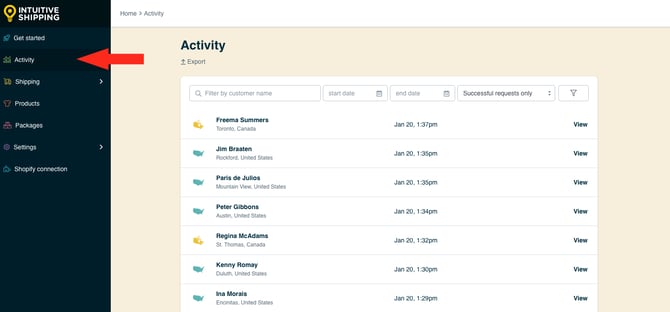
Activities from the past 14 days appear in descending order, with the most recent at the top. Each entry shows the customer’s name, city, country, and the time it was generated.
Click ‘**View**’ next to any activity to see details like which shipping methods were shown, which products were used in the rate calculation, the customer’s name and address, and any errors.
If no activities are listed, Intuitive Shipping hasn’t returned any rates in the last 14 days.
Activities give you a direct link to the shipping methods and, if applicable, the packages used in the rate calculation where you can view or edit them as needed.
The Activity page is also used for displaying important information about Intuitive Shipping, such as reminders and warnings about critical settings.
### Filter and Export Activities
You can **filter** and search for a specific activity to view details or assist with troubleshooting. You can also export your activities list, if needed. Use one or more filtering methods to narrow your results:
**1.** Filter by **customer name**. Enter the customer’s first name, last name, or both into the search field. Matching activities from the past 14 days will be displayed when filtered.
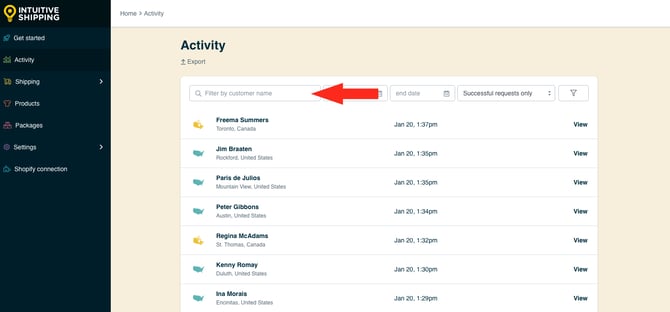
 Entering a name that hasn't be recorded within the past 14 days will return no results.
If you don't know the customers full name, you can search for partial names. For example, if you search ‘Fr’, activities for customers with either first or last names beginning with ‘Fr’ will be displayed when filtered.
**2.** Filter by s**tart date**. Select a date and time from the calendar selector. Matching activities from that date and within the past 14 days will be displayed when filtered.
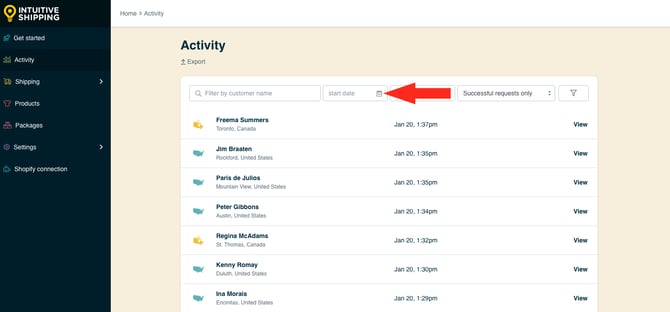

Selecting a start date that is not within the past 14 days will return no results.
**3.** Filter by **end date**. Select a date and time from the calendar selector. Matching activities up to that date and within the past 14 days will be displayed when filtered.
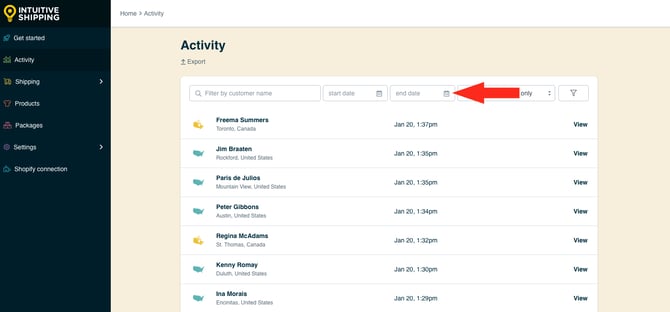

Selecting an end date that is not within the past 14 days will return no results.
To create a date range:
**4.** Select both a **start date** and **end date**.
**5.** Filter by **request status**.
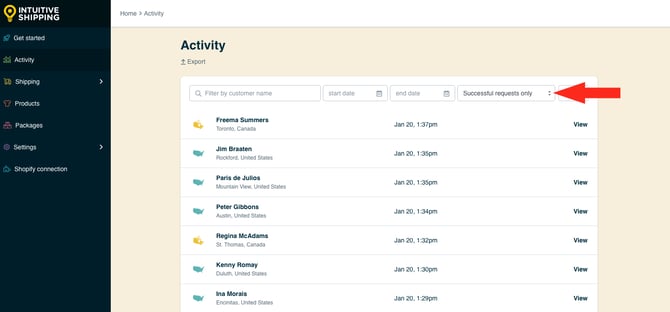
You have two (2) settings to choose from:
- **Successful requests only** - all rate calculations that were successfully displayed at checkout within the past 14 days. This is the default view on the Activity page.
- **Unsuccessful requests only** - all rate calculations that did not display at checkout within the past 14 days.
To display activities based on your filtering preferences:
**6.** Click the **filter icon**. Activities from the past 14 days that match your search criteria will be displayed.
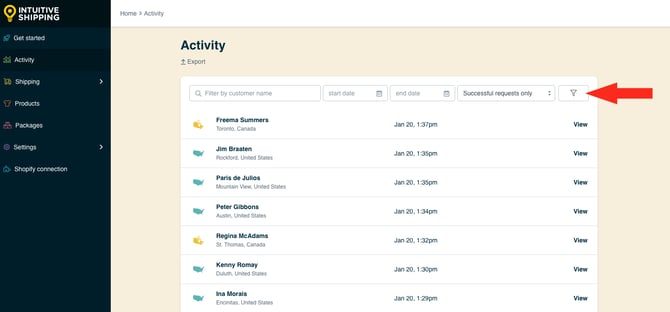
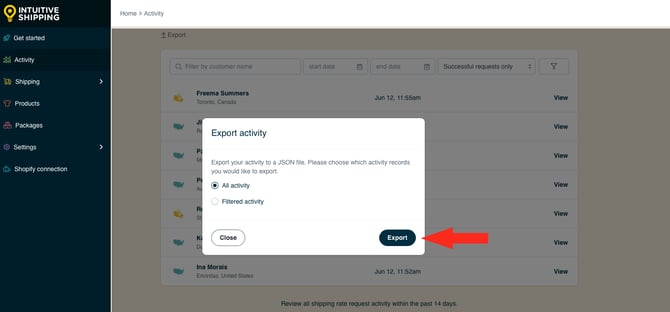
Intuitive Shipping gives you the option to **export** a complete or filtered Activity list. The list will be exported in a JSON file format.
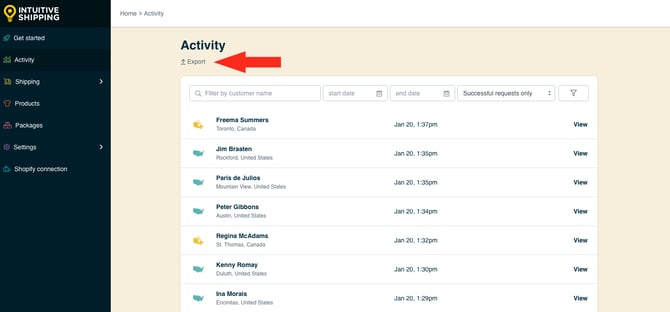
To export your activities from the past 14 days:
**7.** Click **Export**.
**8.** Select your **export preference**.
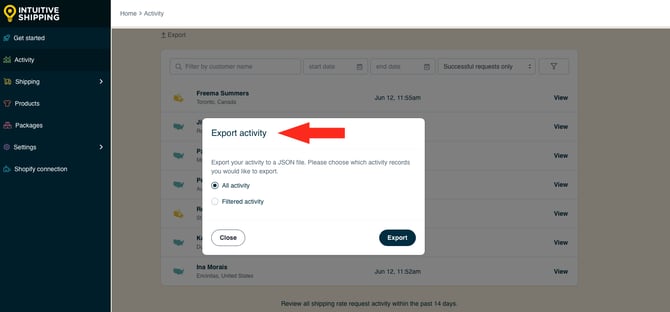
You have two (2) options to choose from:
- **All activity** - all rate calculation activities from the past 14 days will be included in the exported file, even if a filtered list is currently displayed on the page.
- **Filtered activity** - only currently filtered rate calculation activities from the past 14 days will be included in the exported file. If filtering has not been applied, all activities will be included in the exported file.
**9.** Click the **Export** button to export your activity list.
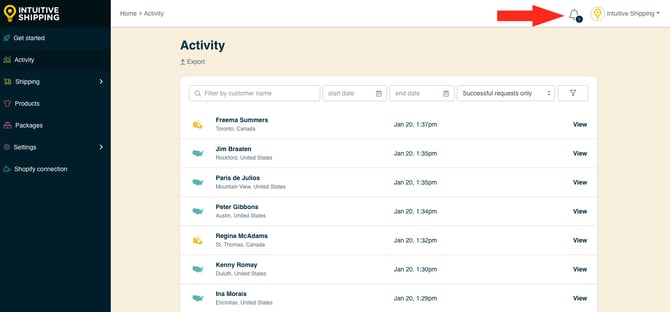
After exporting the JSON file, **a notification** will appear in the top right of any page, though it may not show until you refresh the Activity page or navigate to a different page. An email notification will also be sent to the primary and, if applicable, secondary email contact.
The primary email contact is based on your eCommerce platform settings and cannot be changed within Intuitive Shipping. The secondary email contact can be updated in **[general settings](https://knowledge.intuitiveshipping.com/update-general-settings?hsLang=en)**.
**10.** Click on the **Notifications icon** on any page to move to the Notifications page, then view the '**Activity export complete**' notification to download your JSON file.
### View Activity Details
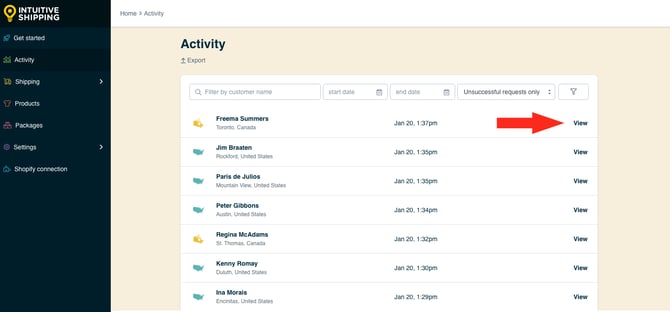
Each activity record contains information about the rate calculation. To obtain more information about an activity:
**1.** Click **View** beside an activity.
Each detailed view is broken into four (4) sections:
**Shopping cart** includes:
- The quantity and name of each product in the cart.
- Each product’s individual dimensions and weight (if available).
- Product image (if available).
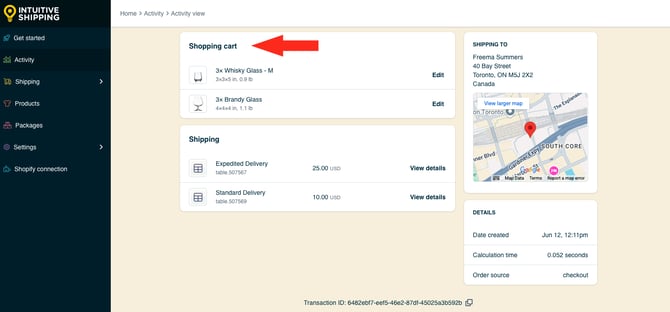
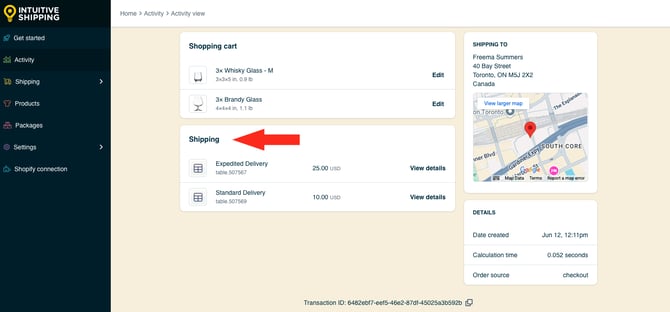
**Shipping** includes:
- The shipping method ID number.
- The cost calculated by the shipping method.
- ‘View details’ - additional information about the shipping method, including package details (if applicable)
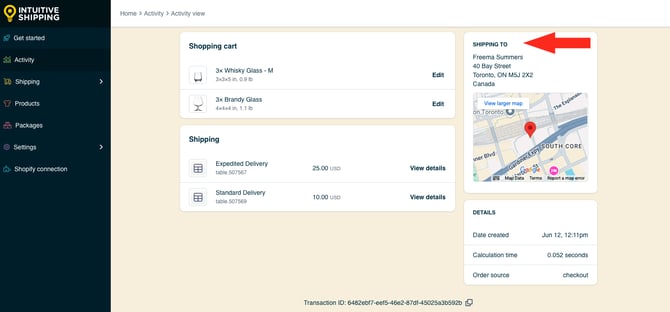
**Shipping to** includes:
- The customer’s name and complete shipping address.
- A Google Maps reference for the customer’s address, with a link to the full version of the map.
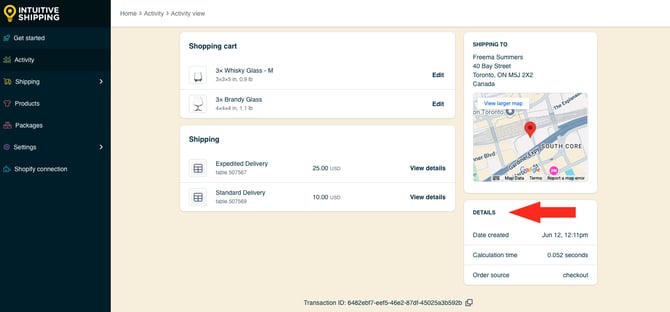
**Details** includes:
- Date created - date and time the transaction was recorded.
- Calculation time - the time it took Intuitive Shipping to complete the calculation and display it at checkout.
- Order source - location the order took place (checkout or draft order).
Calculation time may be affected by:
- Cart size
- Number of Scenarios and shipping methods in your configuration
- How many delivery types and package sizes are used
- When applicable, response times from integrated partners or carriers.
#### Additional Activity Information
Activities include additional information that can be accessed easily:
**View details** includes the shipping method and cost displayed at checkout. If packages were used to calculate a real-time carrier rates, click 'View details' in line with any shipping method to see which packages were used and what products each package contained
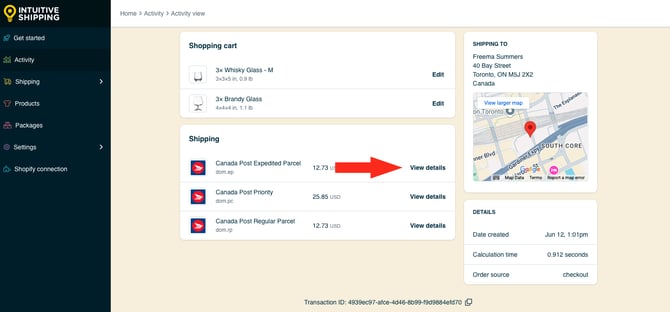
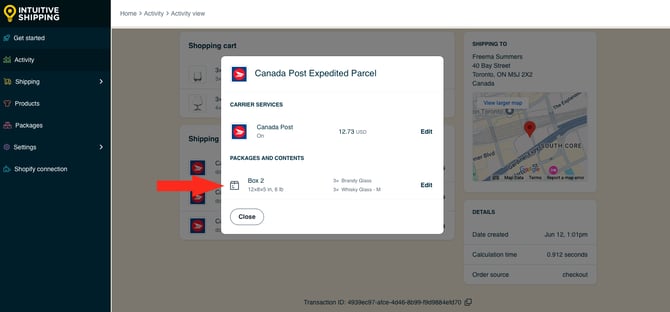
If needed, you can view and edit the shipping method or, when applicable, the packages used in the rate calculation.
**View Larger Map** lets you click the map to view a full-sized version.
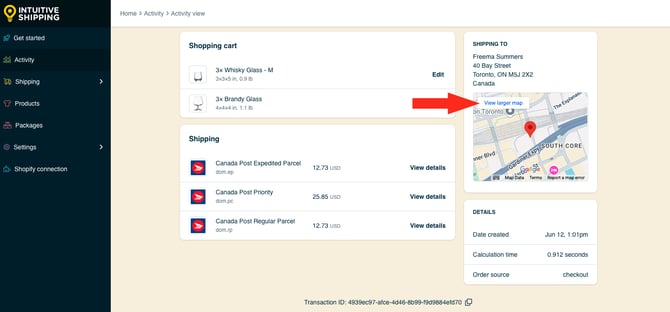

'View larger map' is an external link to the customer's address in Google Maps.
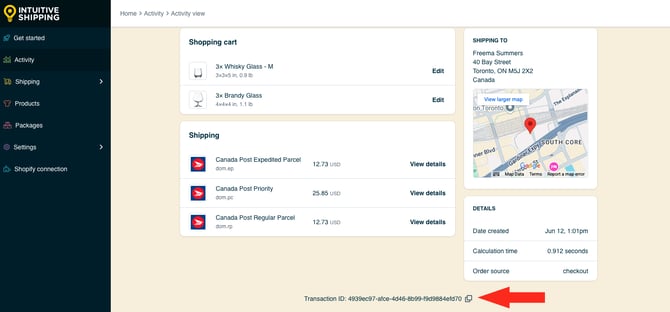
**Transaction ID** is a unique, 36-character activity identifier assigned by Intuitive Shipping after each shipping calculation. This may be used by our support team for troubleshooting purposes.
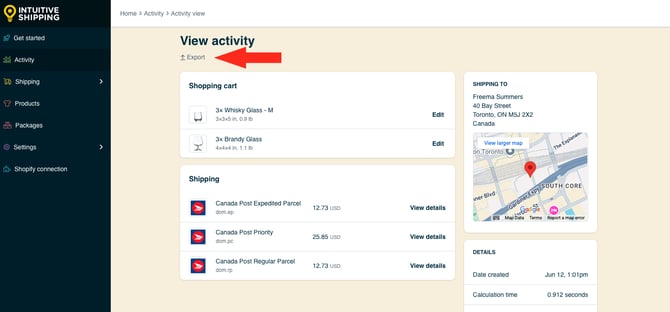
**Export** lets you view each activity as a JSON file. Click 'Export' to download the file directly to your downloads folder.
### **Delete An Activity**
Each activity can be deleted if desired. This is useful if your Activity page contains a number of test calculations that you don't need to retain for the entire 14 days.
To permanently delete an activity:
**1.** Click the **Delete** button.
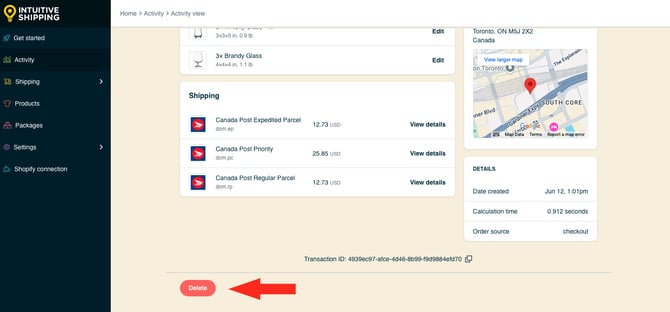

Deleting an activity is permanent and cannot be undone.
### Unknown Customer Information
If you see an activity with an ‘Unknown’ customer name and it lacks a full address, it means our system couldn’t retrieve customer info during the rate calculation.
Possible reasons include:
- **Shipping Estimators** - estimators on product or cart pages pull rates based only on items in the cart and limited info like postal code.
- **Quick Pay Services** - Apple Pay, Shop Pay, and similar services may not send full customer details to Intuitive Shipping at checkout.
- **Custom Checkout** - themes with custom checkout pages might block some customer info from passing to Intuitive Shipping.
- **Cart Lookup Failed** - if none of the above apply, the issue may be a temporary cart lookup failure.
If you frequently see 'Unknown' customers and aren't sure why it's happening, [contact us](https://knowledge.intuitiveshipping.com/contact?hsLang=en) so we can take a closer look.
### Reminders
Important reminders and warnings about your account may occasionally appear at the top of the Activity page. These banners may include:
**Sandbox mode** is displayed after you install the app. This banner stays visible on the Activity page and throughout the app **until you select a billing plan** to activate your account. Intuitive Shipping is free to use in Sandbox mode and does not count toward your free trial period.
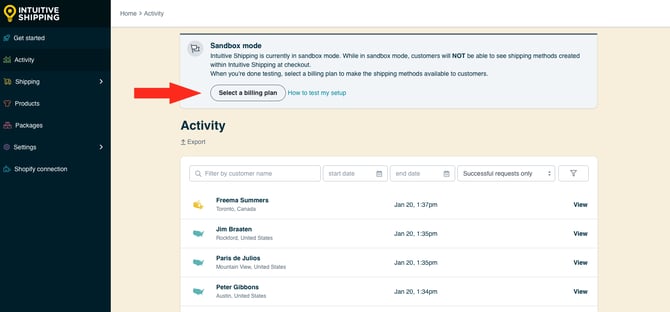
To use Intuitive Shipping on a live checkout, you must select a billing plan to activate your free trial**.**
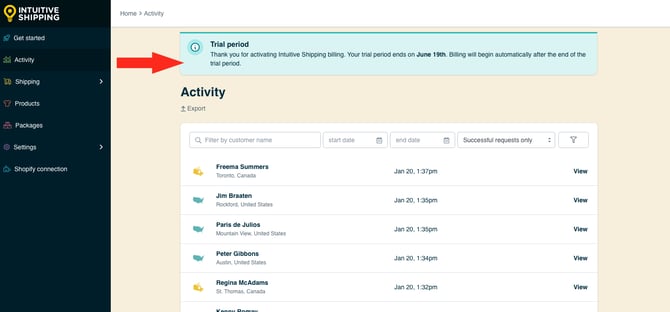
**Trial period** is displayed after you select a billing plan to activate your free trial. It shows the **date your trial ends** and disappears once regular billing begins. The transition is seamless with no service disruption or extra steps required.
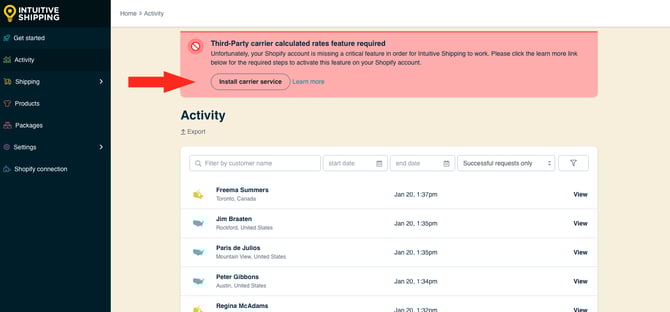
**Third-Party carrier-calculated rates feature required** is displayed when Shopify’s third-party carrier-calculated shipping rates feature hasn’t been enabled on your account. This feature is required by Shopify to use any third-party rate calculator, including Intuitive Shipping. Learn more [here](https://knowledge.intuitiveshipping.com/test-your-setup?hsLang=en).
**Intuitive Shipping Is Turned Off** is displayed when Intuitive Shipping is active (a billing plan has been selected) but the **General status** is set to 'Off'. This prevents all rates from being shown at checkout. To fix this, go to the [General Settings](https://knowledge.intuitiveshipping.com/update-general-settings?hsLang=en) page and change the status to 'On'.
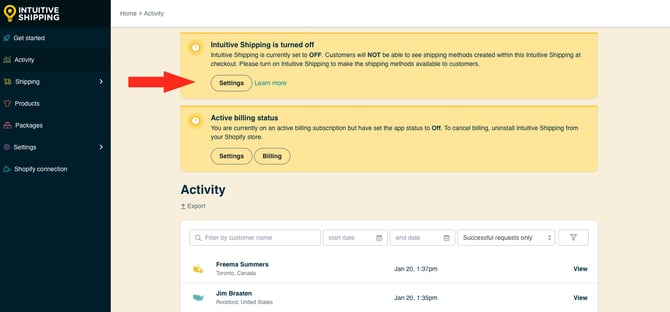
The General Settings 'Off' status does not suspend billing. It only prevents shipping rates from being calculated by Intuitive Shipping.
### Learn more:
- [Common setups](https://knowledge.intuitiveshipping.com/common-setups?hsLang=en)
- [Additional setups](https://knowledge.intuitiveshipping.com/additional-setups?hsLang=en)
- [How-to guides](https://knowledge.intuitiveshipping.com/how-to?hsLang=en)
- [Connect a carrier](https://knowledge.intuitiveshipping.com/connect-a-carrier?hsLang=en)
- [General info](https://knowledge.intuitiveshipping.com/general-info?hsLang=en)
- [FAQ](https://knowledge.intuitiveshipping.com/faq-page?hsLang=en)
- [Get Started](https://knowledge.intuitiveshipping.com/get-started?hsLang=en)
- [Common Setups](https://knowledge.intuitiveshipping.com/common-setups?hsLang=en)
- [Additional Setups](https://knowledge.intuitiveshipping.com/additional-setups?hsLang=en)
- [How-To](https://knowledge.intuitiveshipping.com/how-to?hsLang=en)
- [Connect A Carrier](https://knowledge.intuitiveshipping.com/connect-a-carrier?hsLang=en)
- [Black Friday](https://knowledge.intuitiveshipping.com/black-friday?hsLang=en)
- [Billing & Account](https://knowledge.intuitiveshipping.com/billing-account?hsLang=en)
- [General Info](https://knowledge.intuitiveshipping.com/general-info?hsLang=en)
- [Get Help](https://knowledge.intuitiveshipping.com/get-help?hsLang=en)
- [Main Site](https://intuitiveshipping.com/)
- [FAQ](https://knowledge.intuitiveshipping.com/faq-page)
- [Privacy Policy](https://intuitiveshipping.com/legal/privacy)
- [Terms](https://intuitiveshipping.com/legal/terms)
- [EULA](https://intuitiveshipping.com/legal/eula)
[](http://intuitiveshipping.com)
The shipping solution for serious sellers.
© Copyright 2019-2025 Intuitive Shipping Inc.